BeMooore › VoxFlow › Mac › Monologue alternative
A Monologue alternative that is free, with no word limit
Monologue, from the team at Every, is a well made voice app for Mac, iPhone, iPad and Apple Watch: dictation with AI formatting, voice notes and meeting notes without a bot. Its free trial ends after 1,000 dictation words, and after that Pro costs 12 to 15 USD a month. If you only want to dictate on your Mac, with no word count and no subscription, VoxFlow Pro for Mac does that for free and keeps your audio on your Mac. Here is an honest look at when each one fits.
Get VoxFlow Pro for Mac, free →macOS 14 Sonoma or later, Apple Silicon and Intel. Notarized by Apple. No account, no word limit, no subscription.
The short answer
- Keep Monologue if you want AI formatting, meeting notes without a bot, voice notes that sync to your iPhone and Apple Watch, or notes your AI agents can read. It does much more than VoxFlow.
- Try VoxFlow Pro for Mac if you used up the 1,000 trial words and do not want a subscription, your audio must not leave your Mac, or you just want voice typing word for word with one push-to-talk key.
- Use both if you like. Give them different shortcuts.
Side by side
Monologue facts are from the pricing section and FAQ on its official website, read on 31 October 2026. Prices change, so check before you buy.
| VoxFlow Pro for Mac | Monologue | |
|---|---|---|
| Price | 0, there is no paid tier | Free trial; Pro 15 USD a month billed monthly or 144 USD a year (12 USD a month); also included with Every |
| Word limit | None | 1,000 dictation words and 10 recorded notes on the free trial; unlimited on Pro |
| Account | None, open the app and dictate | Not stated on the page we read |
| Where speech is transcribed | Always on your Mac (WhisperKit) | Local models on Mac when you choose them; otherwise by Monologue's AI providers with zero data retention |
| Works without internet | Yes, after a one-time speech model download on first launch | Transcription yes, with local models; smart formatting and sync need a connection |
| Mac chip | Apple Silicon and Intel (universal app) | Not stated on the page we read |
| macOS | macOS 14 or later | Not stated on the page we read |
| System wide dictation | Yes: hold Globe, Caps Lock or right Shift, speak, release to type | Yes, in any app you write in |
| AI rewriting and extras | No, it types what you said | Context-aware formatting, custom modes, a dictionary, voice notes, bot-free meeting notes, and notes for AI agents through MCP, API and CLI |
| Other devices | Mac only | iPhone, iPad and Apple Watch |
| Privacy | Your audio never leaves your Mac | Dictation audio and transcripts are not saved on Monologue's servers; saved Notes are stored so they can sync |
Monologue takes privacy seriously: it says it does not save dictation audio or transcripts on its servers and that its AI providers keep no data. The difference is where the work happens. Monologue's formatting runs online; VoxFlow Pro for Mac has no server side at all.
Why someone looks for an alternative
Most people who search for a Monologue alternative fall into one of two groups. The first tried the free trial, ran through the 1,000 words in a few days, and does not want one more monthly subscription just to type with their voice. The second wants nothing to go online: client calls, patient notes, legal drafts, code under NDA. VoxFlow Pro for Mac is built for both. If you want your speech formatted by AI, meeting notes, or the same app on your iPhone and Apple Watch, Monologue is the better tool and VoxFlow will not replace it.
What using VoxFlow looks like
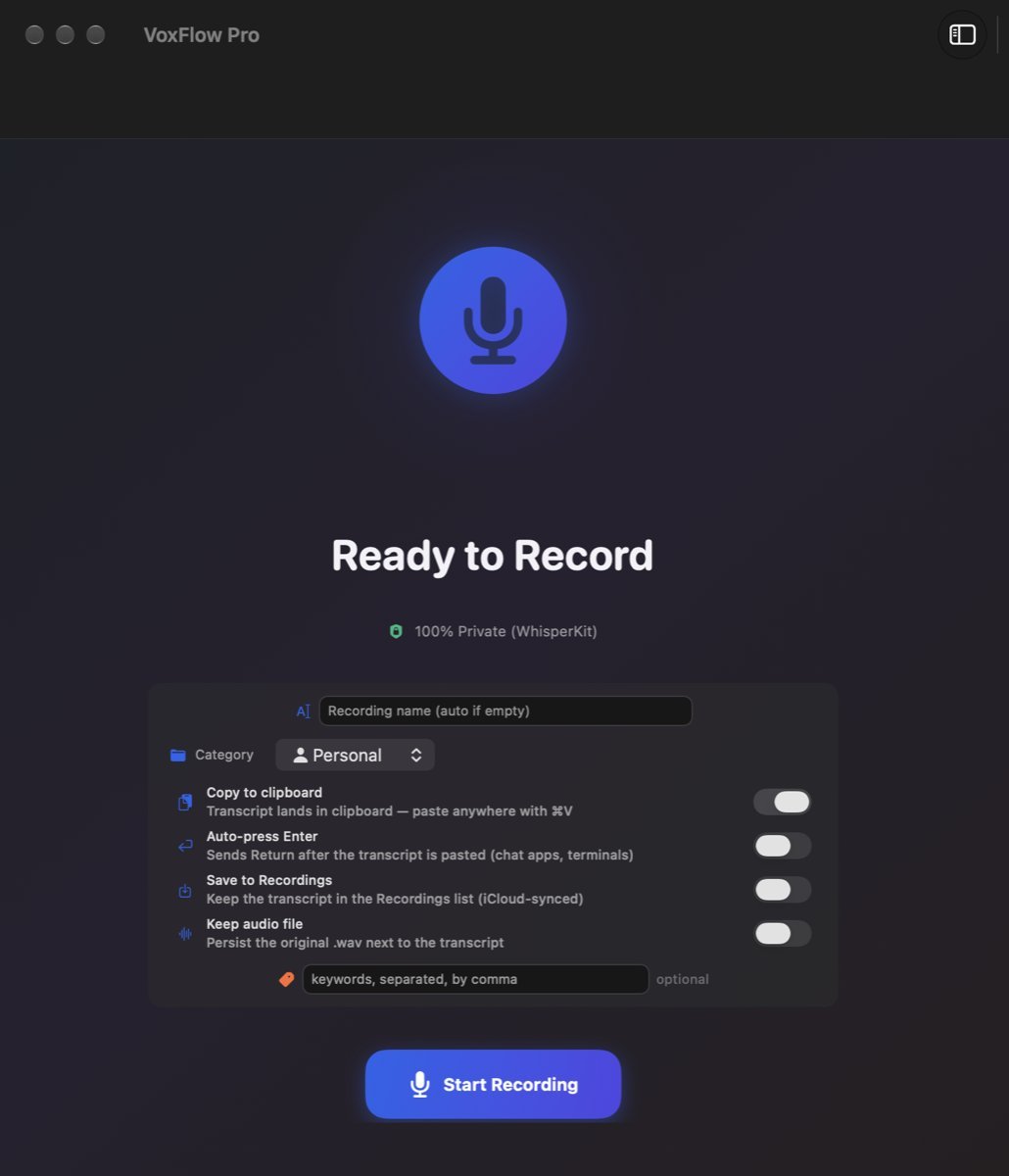
- Download the disk image from the VoxFlow Pro for Mac page (1.9 MB), drag it to Applications, open it.
- Allow Microphone, then Accessibility in System Settings, so it can see the push-to-talk key. There is no sign up step.
- Click into any text field. Hold the key, say the sentence, release.
VoxFlow is signed with a Developer ID issued to BIT Technology s.r.o. and notarized by Apple, and the download page lists the SHA-256 checksum.
When VoxFlow is not the right replacement
- You want AI clean up. VoxFlow writes down what you said, word for word, filler words included.
- You want custom modes or a dictionary. VoxFlow has one built in model and one behavior everywhere.
- You need meeting notes. Monologue can record your microphone and the call audio together without a bot; VoxFlow only types what you dictate.
- You dictate on iPhone, iPad or Apple Watch too. VoxFlow Pro for Mac is Mac only.
- You need automatic updates. VoxFlow Pro 1.0 has none; new builds are posted on the download page.
Other comparisons: Wispr Flow, Superwhisper and MacWhisper, a Willow Voice alternative, an Aqua Voice alternative, which Mac dictation apps work offline, free dictation apps for Mac, a Superwhisper alternative, and a VoiceInk alternative.
Questions
Is Monologue free?
Only as a trial. On 31 October 2026 Monologue's pricing listed a free trial with 1,000 dictation words and 10 recorded notes. Monologue Pro, with unlimited dictation and bot-free meeting notes, cost 15 USD a month billed monthly or 144 USD a year (12 USD a month). Pro is also included in an Every subscription.
Does Monologue work offline?
Partly. Monologue says it offers local transcription models on Mac that work without an internet connection, but smart formatting and syncing still need a connection. VoxFlow Pro for Mac has no cloud part at all: it always transcribes on your Mac and works without internet after a one-time speech model download on first launch.
Is there a free Monologue alternative with no word limit?
Yes. VoxFlow Pro for Mac is free, with no paid tier, no account and no word limit. You hold a key, speak and release, and the text is typed into the app you are in. It does not rewrite or format your text with AI.
Does Monologue work on iPhone and Apple Watch?
Yes. Monologue has native apps for Mac, iPhone, iPad and Apple Watch, and syncs notes, modes and your dictionary between them. VoxFlow Pro for Mac is Mac only, so if you dictate on several Apple devices Monologue covers more of them.
Try it
Get VoxFlow Pro for Mac, free →VoxFlow is made by BIT Technology s.r.o. and is not affiliated with Monologue, Every or Apple. Mac and macOS are trademarks of Apple Inc. Other names are trademarks of their owners.